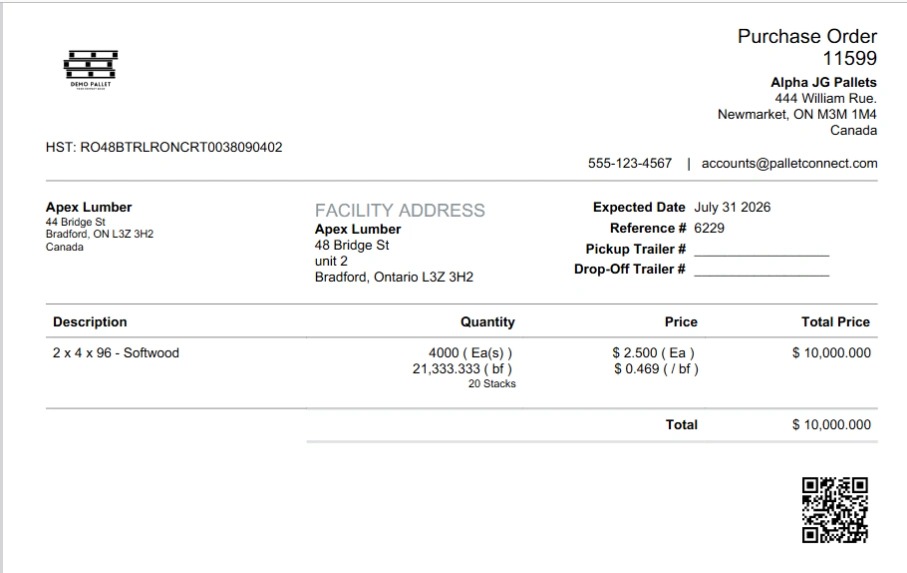
Learn how to initiate a new purchase order for a specific supplier while specifying a custom delivery address. This is sometimes refered to as drop shipping.
Order Setup
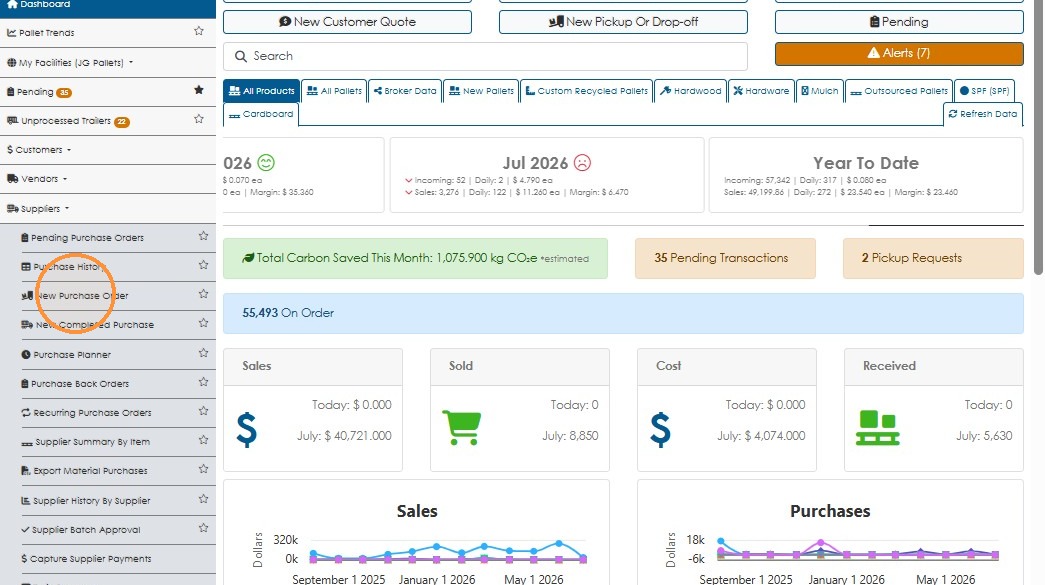
1. Click "New Purchase Order" and select your supplier
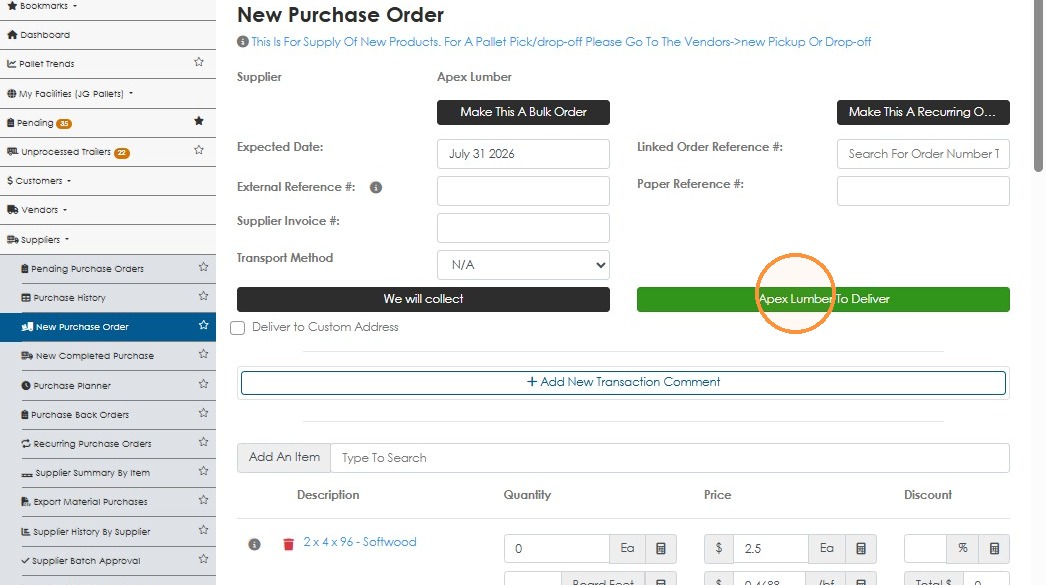
2. Select that the supplier will deliver
Delivery Details
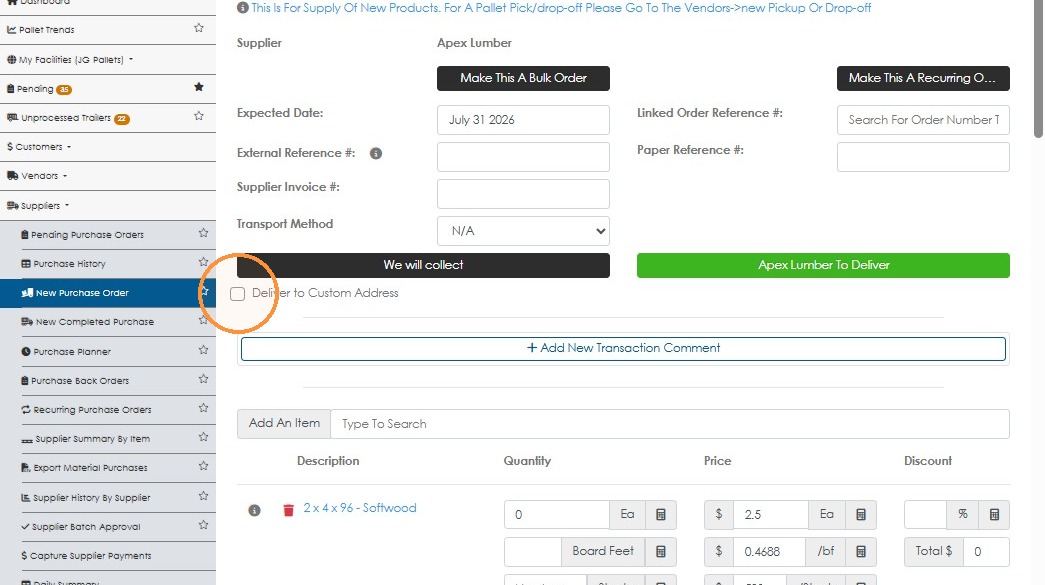
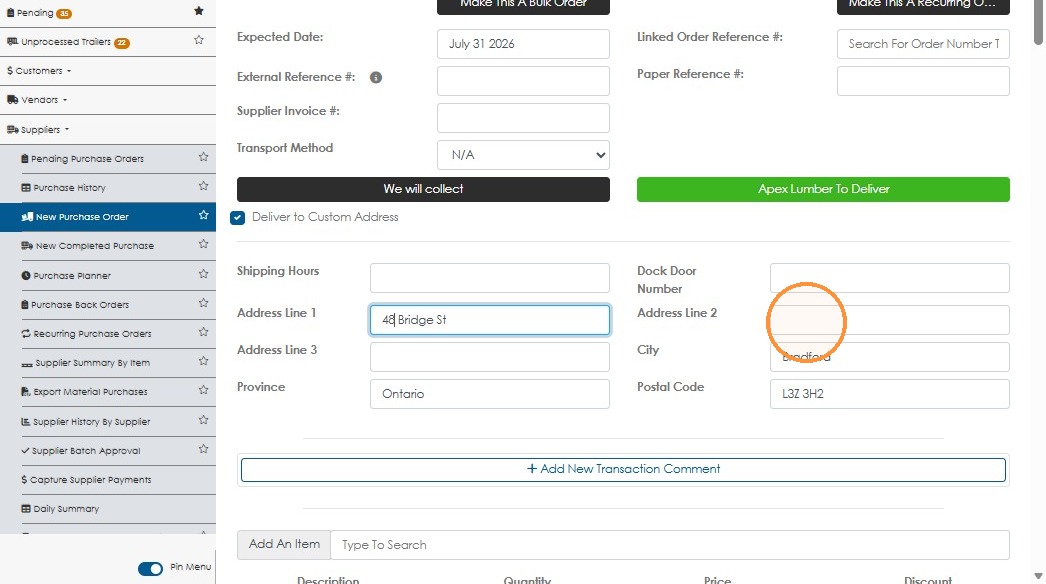
3. Click "Deliver to Custom Address"
4. Enter the Custom Address
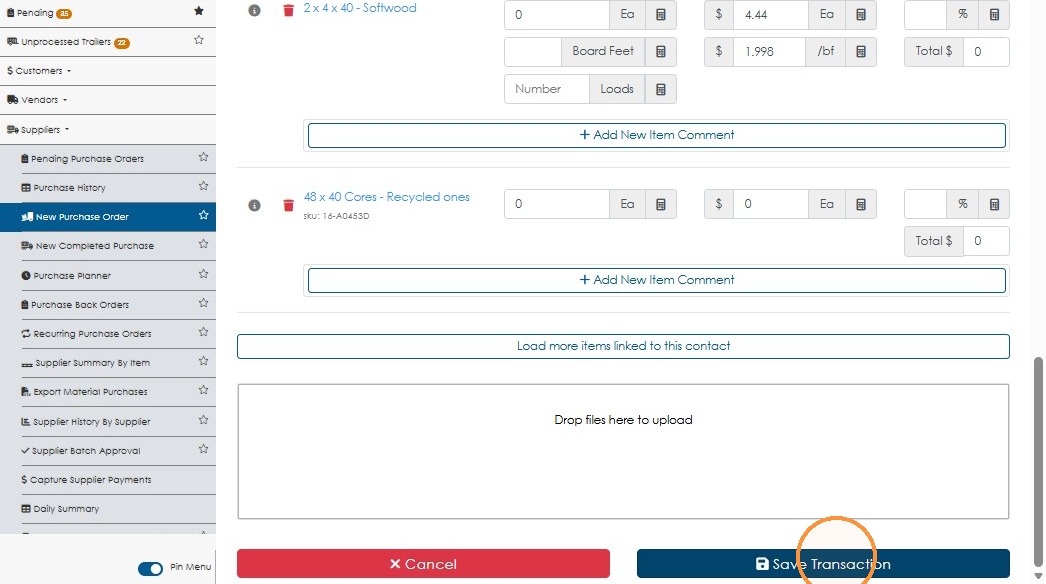
Review and Save
5. Select the Items and Click "Save Transaction"
6. Now the Purchase Order emailed to the supplier and what is seen when selected from the menu will have the custom address
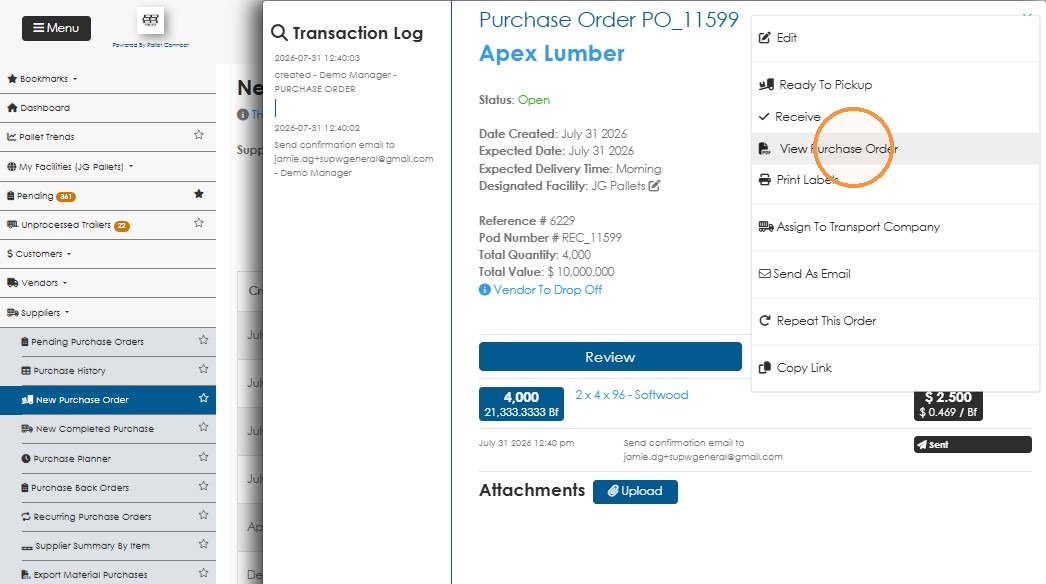
7. Step