
When exporting to Quickbooks online, you can map select data from Pallet Connect to your custom fields that you created in Quickbooks.
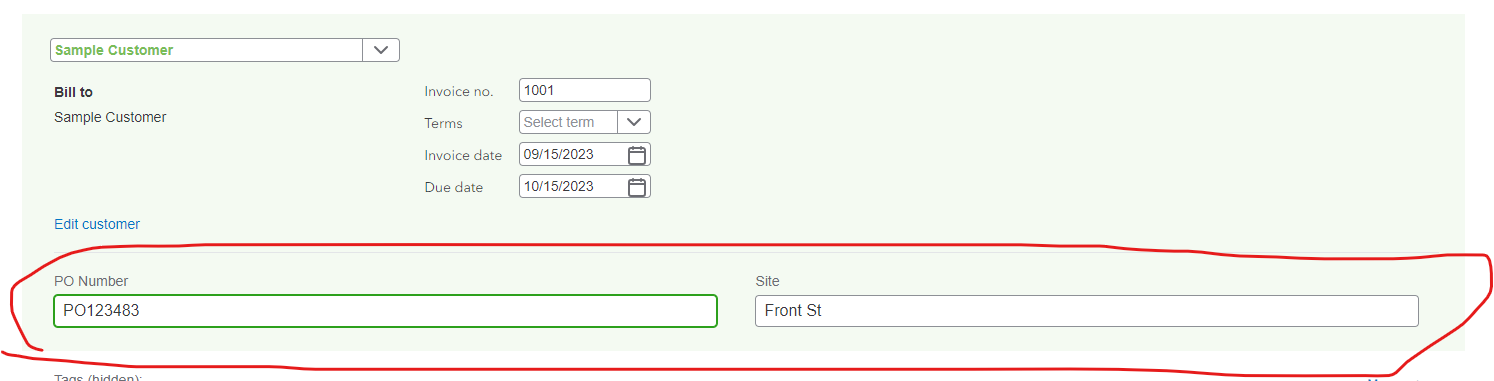
An example would be Purchase Order (PO) number.
Sample Custom Fields in Quickbooks
When exporting, you will be asked to map the custom fields on the first use.
Sample Mapping in Pallet Connect
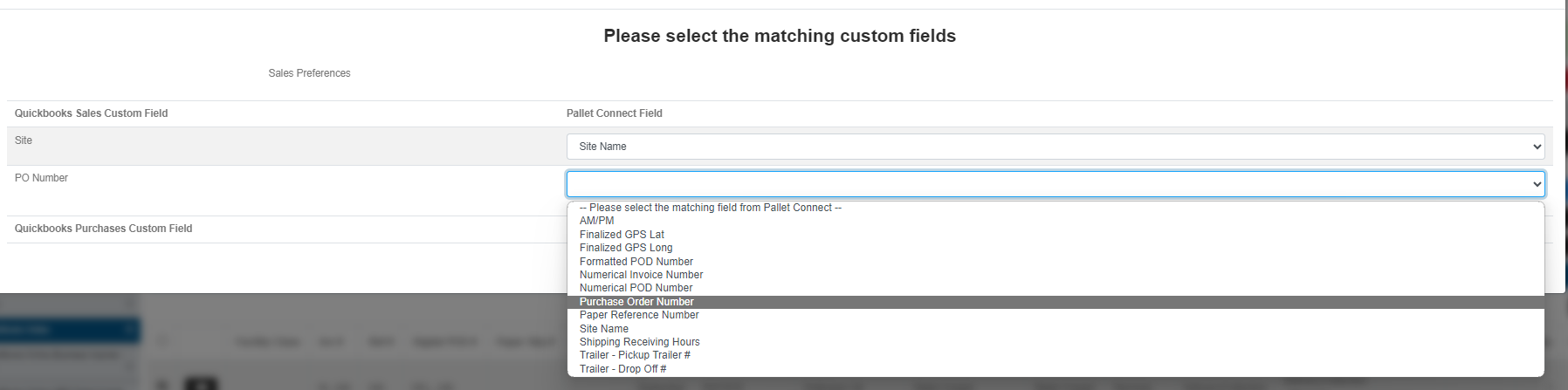
The mapping has to be set to one of the fields and can not be left blank.
There can be custom fields for both sales and purchases. If no custom fields are setup in quickbooks, this step will be skipped.
When creating a custom field in QuickBooks for invoices, make sure following categories are all selected

When creating a custom field for bills, make sure the following are selected

If you would like the custom field on both, select all
Note:
A custom field will be shown in the API response only if:
- It is the first 3 String-based custom field configured in QuickBooks Online Advanced.
- It is enabled to all Sales forms(such as Sales Receipt, Invoice, Estimate, Credit Memo, Refund Receipt) or all Purchase forms.