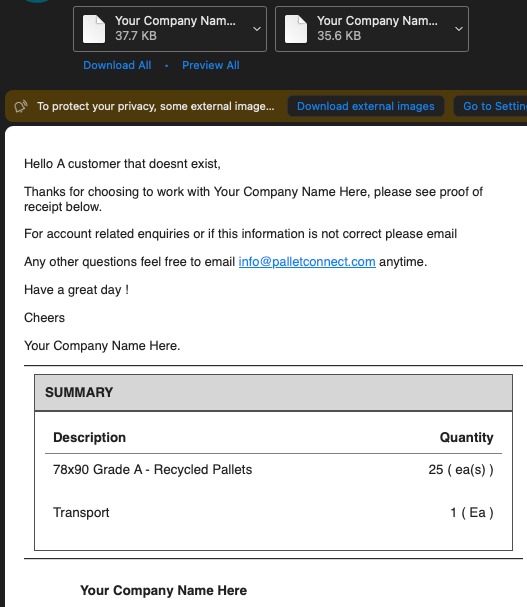
1. This article reviews the various automated emails that can be sent to a Customer during the order collection process.
TIP! Please see related article on Email Settings, this will affect who receives emails and which emails the system sends.
TIP! Enable Email tracking for details on the status of the email. See related article.
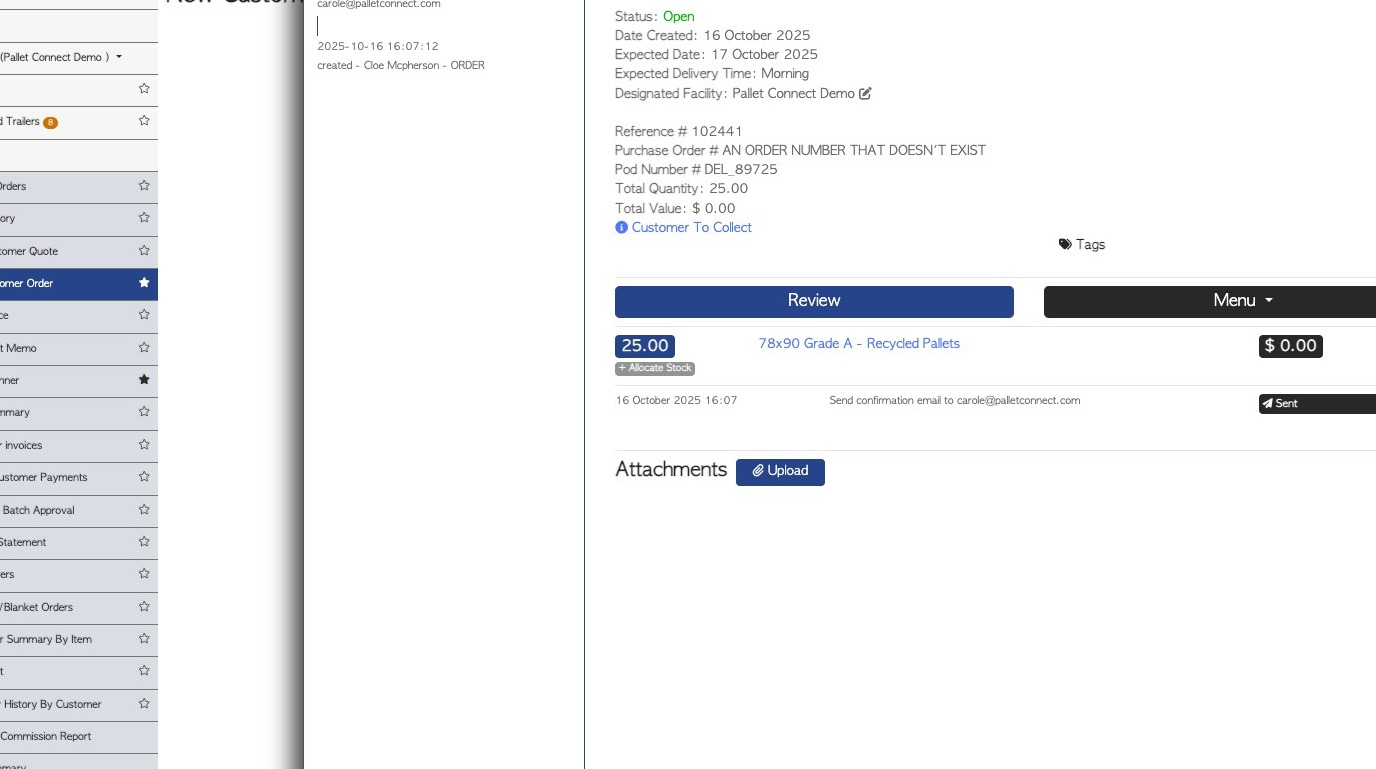
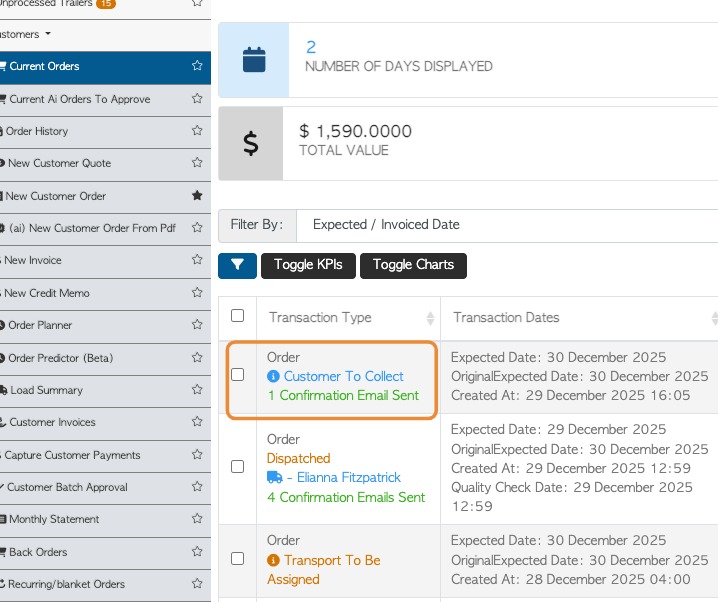
2. Once the Customer Order collection has been created the email sequence starts.
NOTE: On the Current Orders and Order History pages of the Customer section of the menu, the email status is shown for each order.
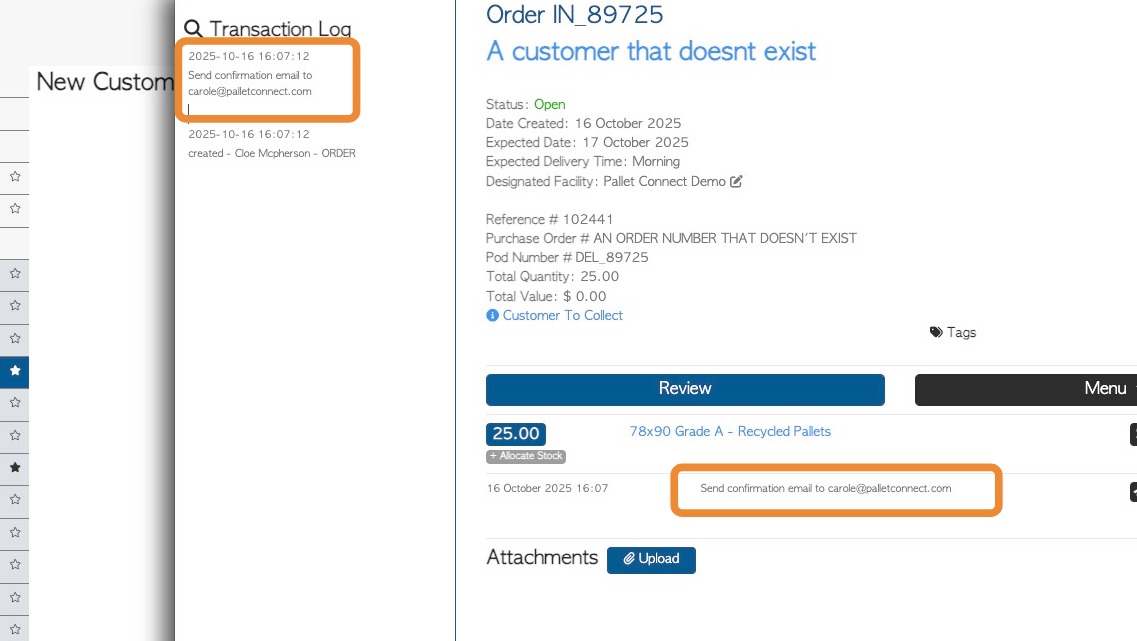
3. EMAIL 1 - CONFIRMATION EMAIL
This shows in the transaction log and on the open order as "confirmation email".
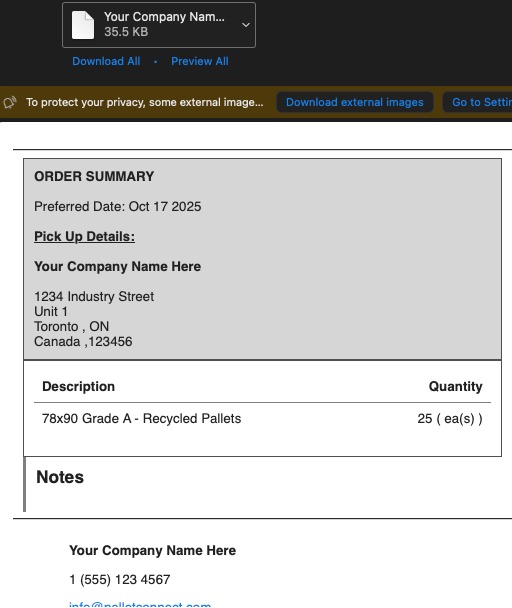
4. The Customer receives an email titled "Your order confirmation"
NOTE: The summary does not contain pricing. There is a PDF copy of the order attached to the email as well as a Customer Pick Up Slip.
5. EMAIL 2 - READY FOR PICK UP
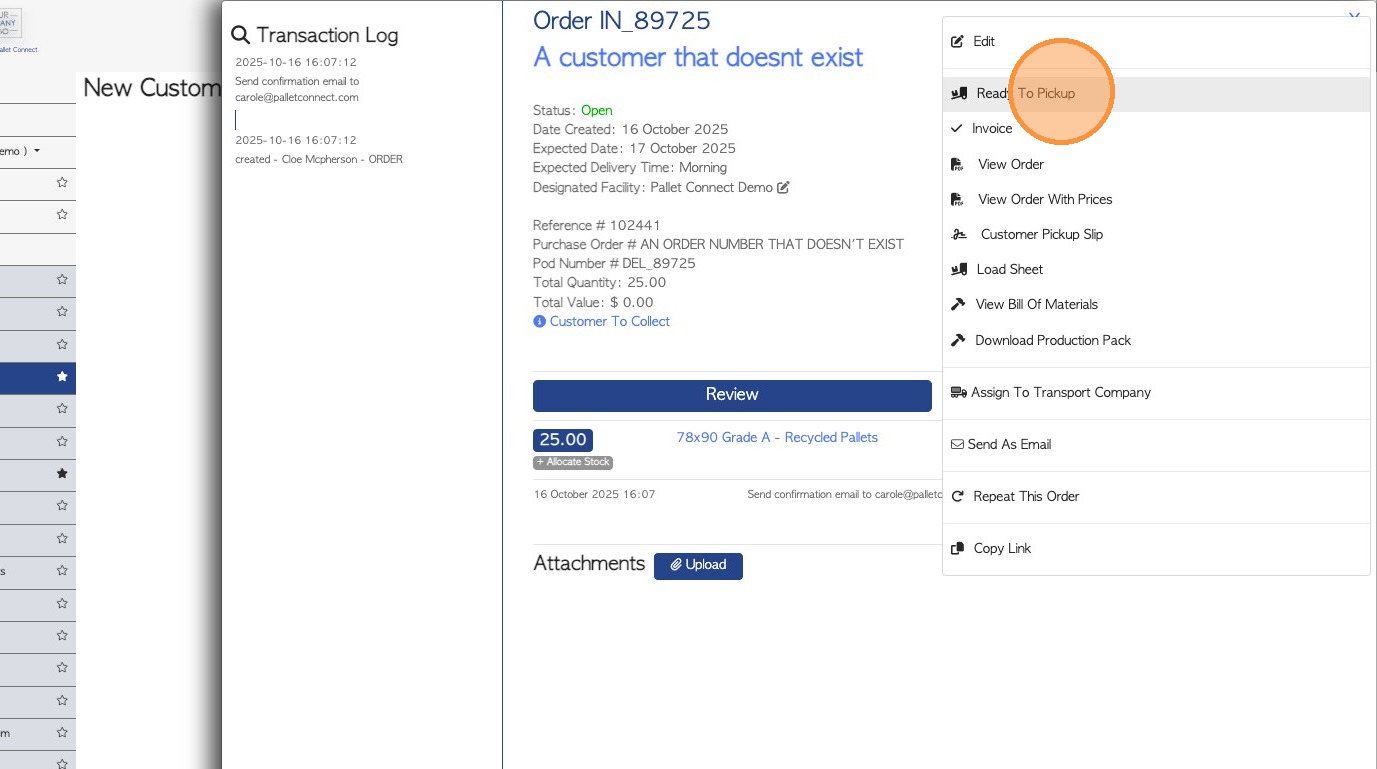
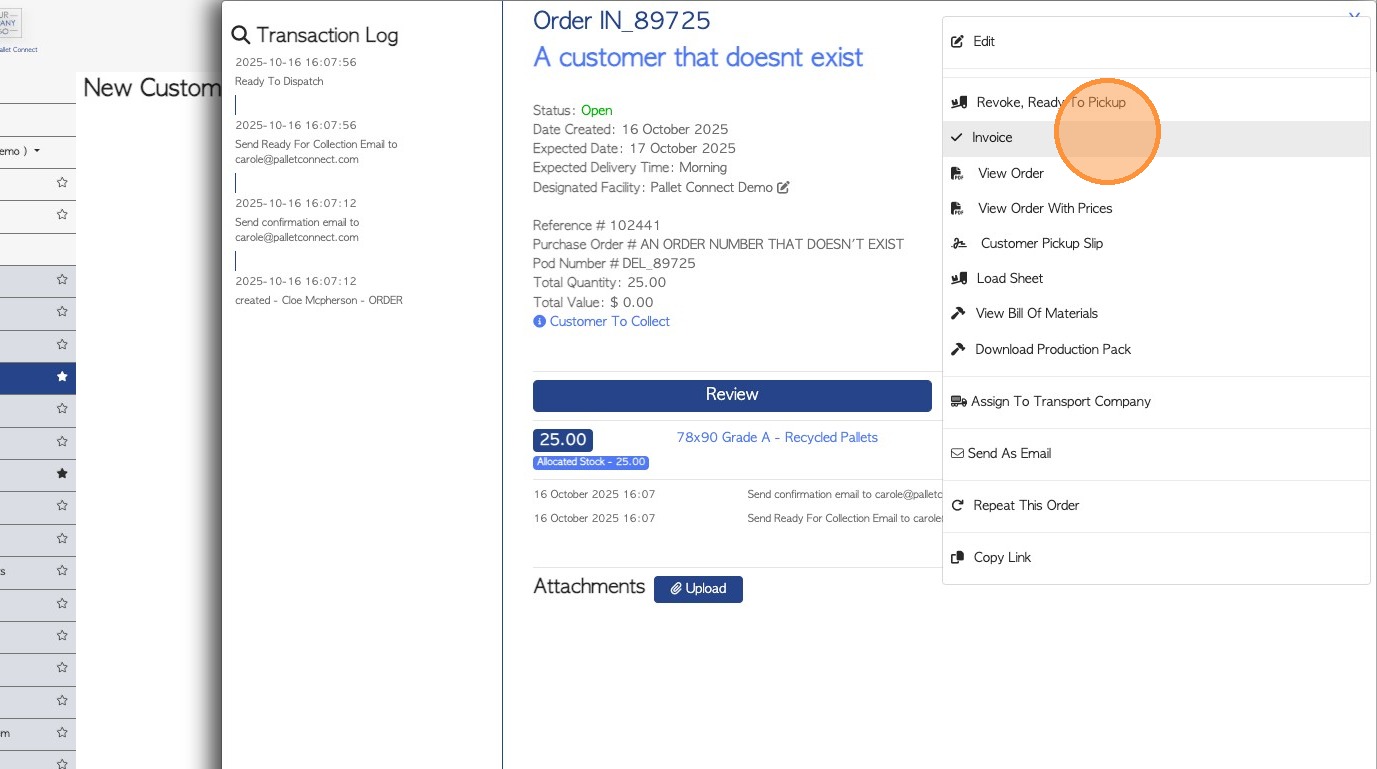
When the order is ready for collection, click "Ready To Pickup" in the transaction menu.
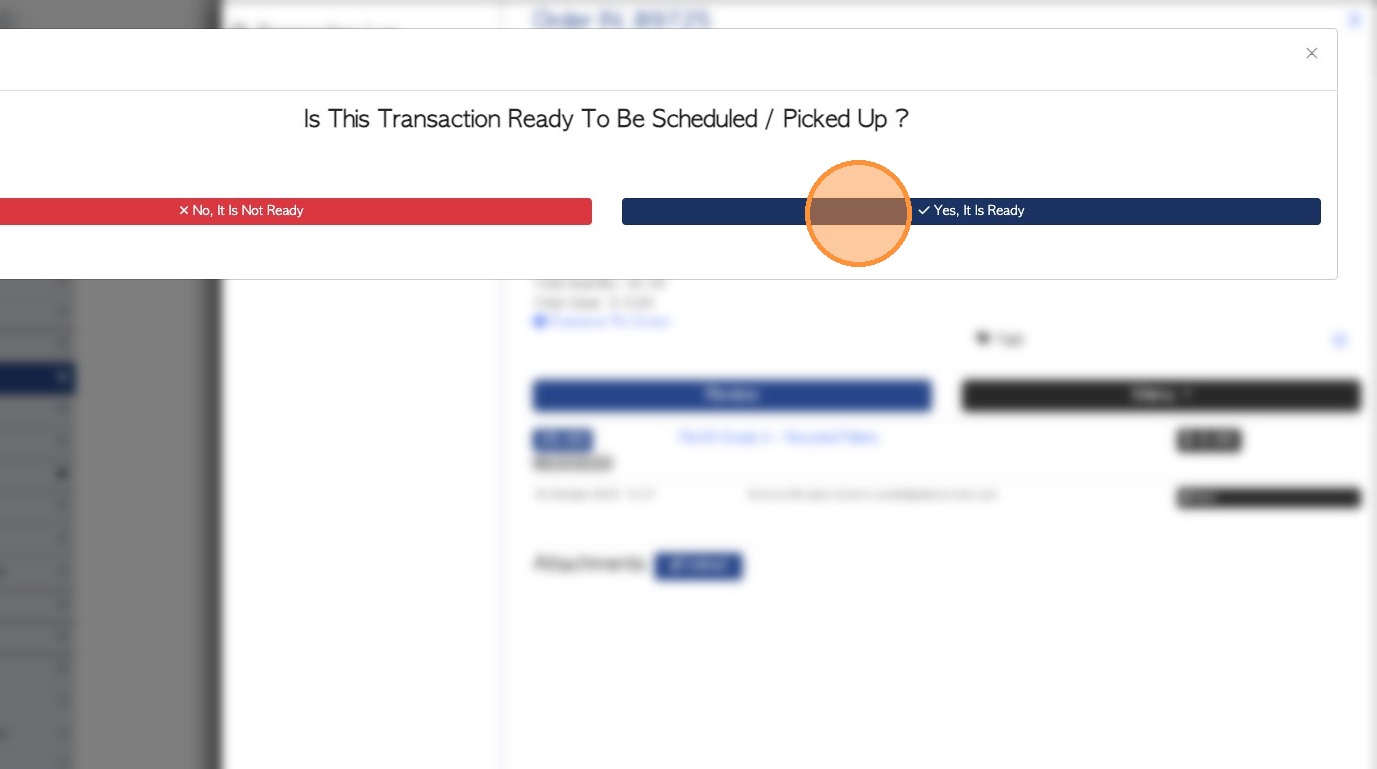
6. This will display an alert. Click "Yes, It Is Ready" to send the next email.
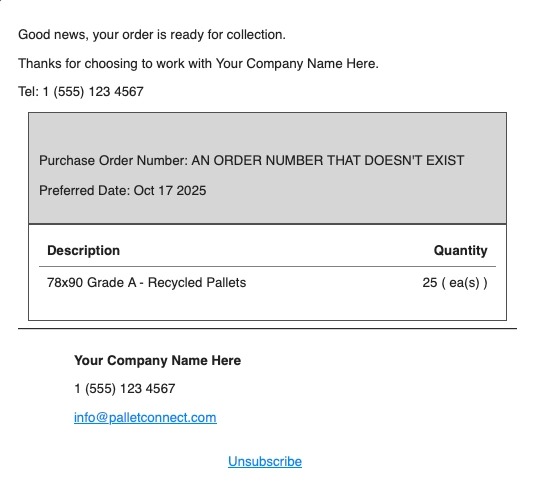
7. The Customer will receive an "Order Ready for Collection" email
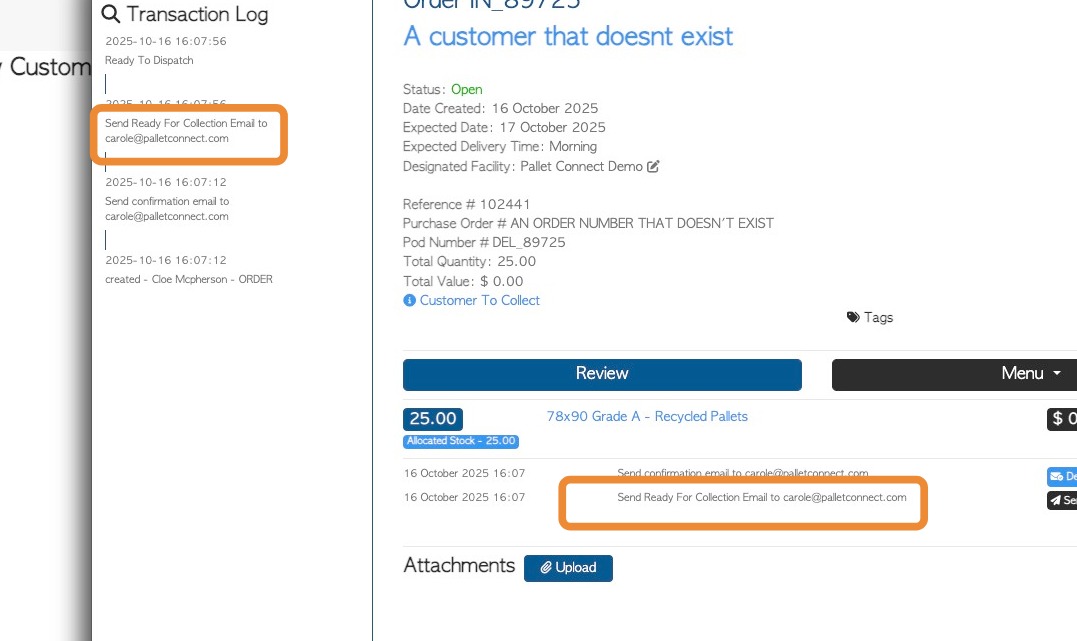
8. In the transaction logs, the email is shown as "Send Ready For Collection Email"
9. EMAIL 3A - WAITING APPROVAL
Once a signature has been obtained and collection is complete, invoicing emails can be sent.
NOTE: If Approvals are enabled in system settings, then an additional email is sent automatically when the driver obtains a Customer signature. This email serves as a Proof of Delivery.
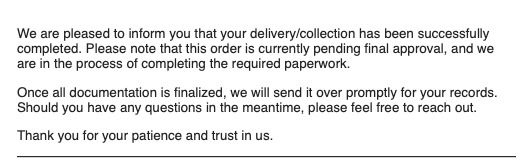
10. Sample of the 'Pending Approval' email:
11. EMAIL 3B - INVOICE EMAIL
If Approvals are not enabled the Invoice email will be sent once a signature has been received and the collection complete.
If Approvals are enabled, the Invoice email is sent automatically when the Invoice is approved.
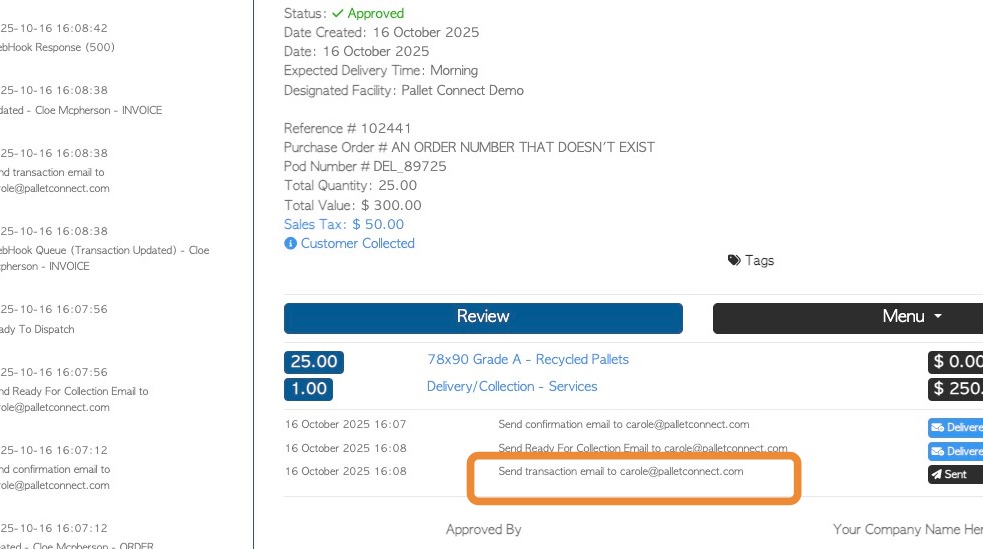
Once sent, the Invoice email shows as "transaction" email on the transaction log.
12. The Customer will receive an email titled. "Your Invoice (reference number and company name is included)". A PDF copy of the Invoice (with pricing) and the Proof Of Pick Up is attached.