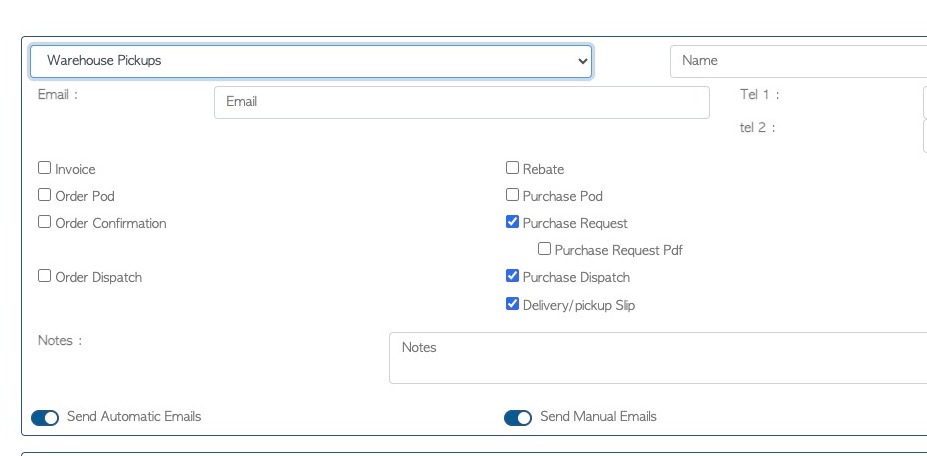
When a contact person is set up in a contact profile e.g. Customer profile, they are identified by and assigned to a type e.g. accounts payable. Each type has preset emails, that the person receives from the system. This article explains which contact type receives which email. Note that the preset emails can always be changed to suit the custom needs of the company.
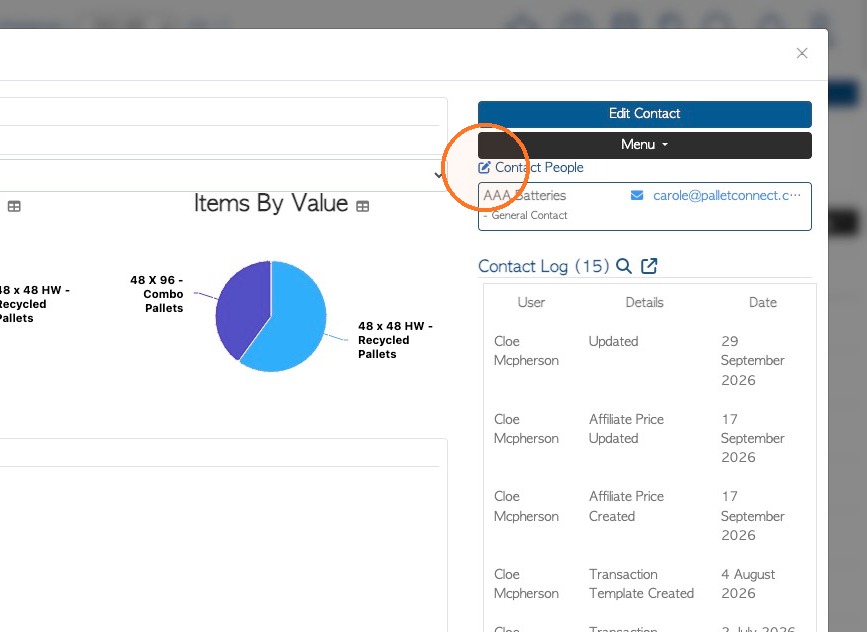
1. To review and edit the contact people email settings. Click the Contact People tab in the contact profile, or click on 'Edit Contact' to reach the tabs and select the 'contact people' tab.
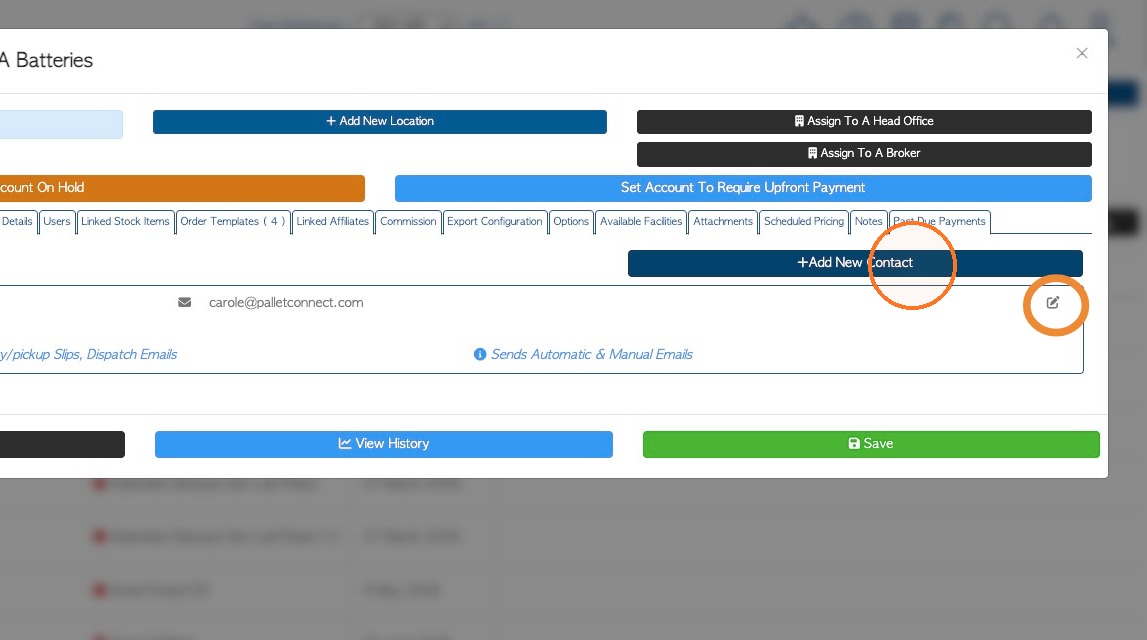
2. Click "Add New Contact" to create a contact person profile or click the pencil icon to view details of an existing contact person.
3. Click on the pencil icon from the profile, to view the current email configuration.
The various contact types and the associated pre set emails are listed below:
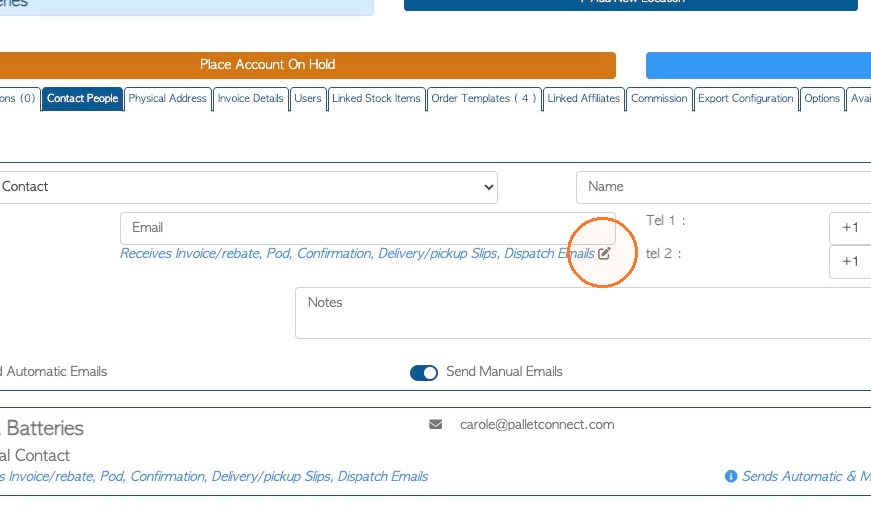
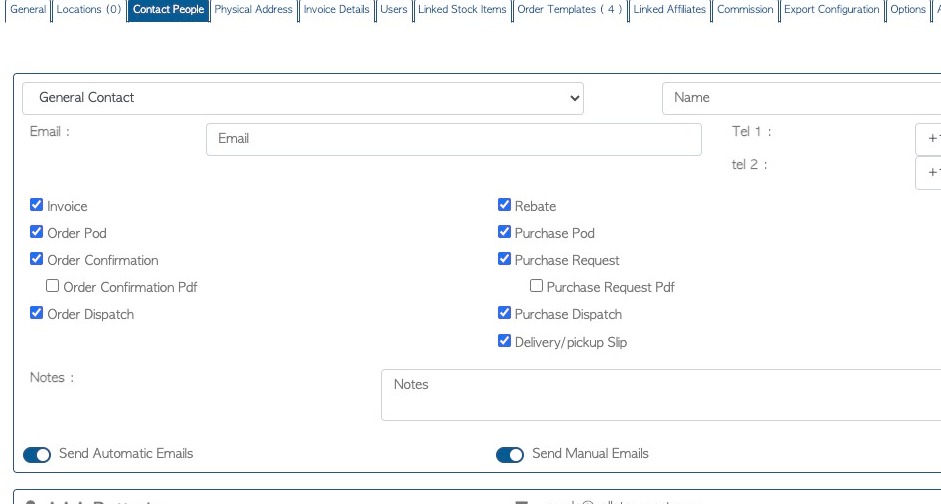
4. GENERAL CONTACT: Defaults to 'invoice', 'order POD', 'order confirmation', 'order dispatch', 'rebate', 'purchase POD', 'purchase request', 'purchase dispatch' and 'delivery/pickup slip' emails (9).
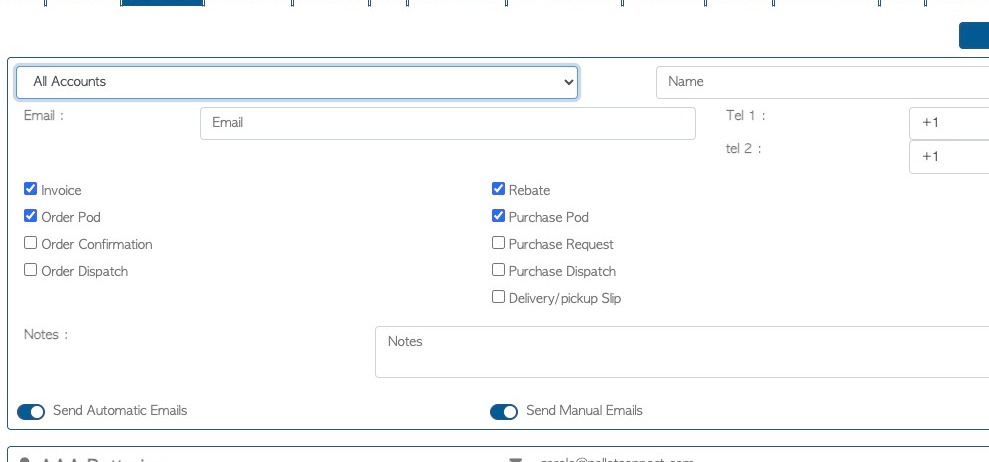
5. ALL ACCOUNTS CONTACT: Defaults to 'invoice', 'order POD', 'rebate' and 'purchase POD' emails (4).
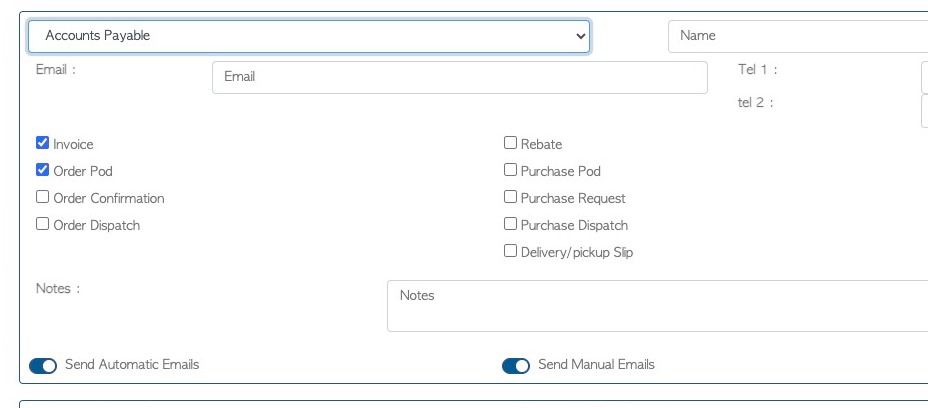
6. ACCOUNTS PAYABLE CONTACT: Defaults to 'invoice' and 'order POD' emails (2).
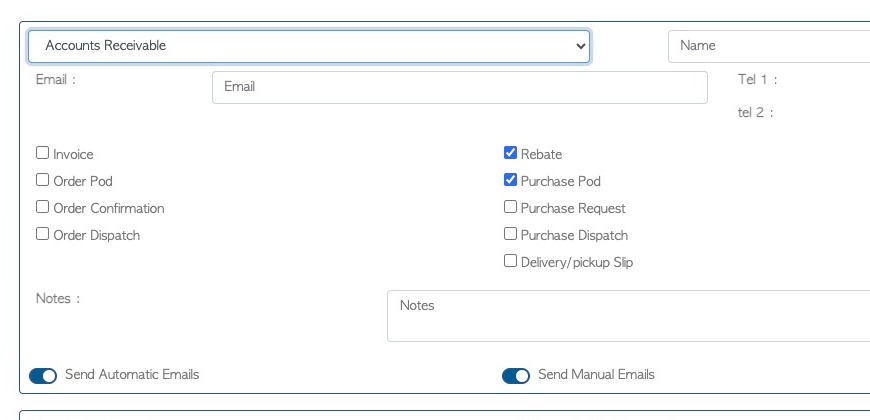
7. ACCOUNTS RECEIVABLE CONTACT: Defaults to 'rebate' and 'purchase POD' emails (2).
8. ALL WAREHOUSE CONTACT: Defaults to 'order confirmation', 'order dispatch', 'purchase request', 'purchase dispatch' and 'delivery/pick up slip' emails (5).
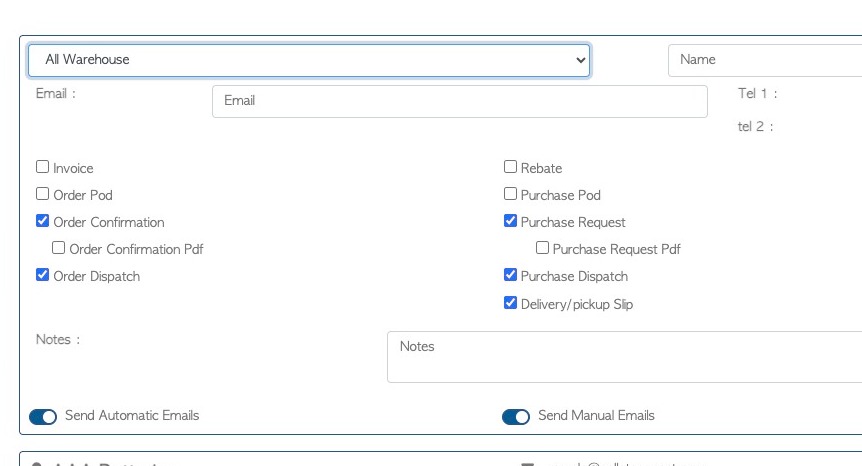
9. WAREHOUSE ORDERS CONTACT: Defaults to 'order confirmation', 'order dispatch' and 'delivery/pickup slip' emails (3).
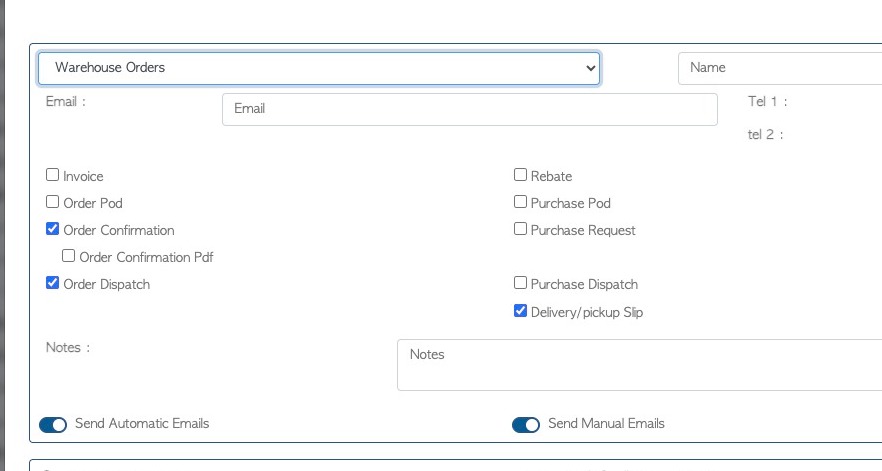
10. WAREHOUSE PICK UPS CONTACT: Defaults to "purchase request", "purchase dispatch" and "delivery/pick up slip" emails (3).