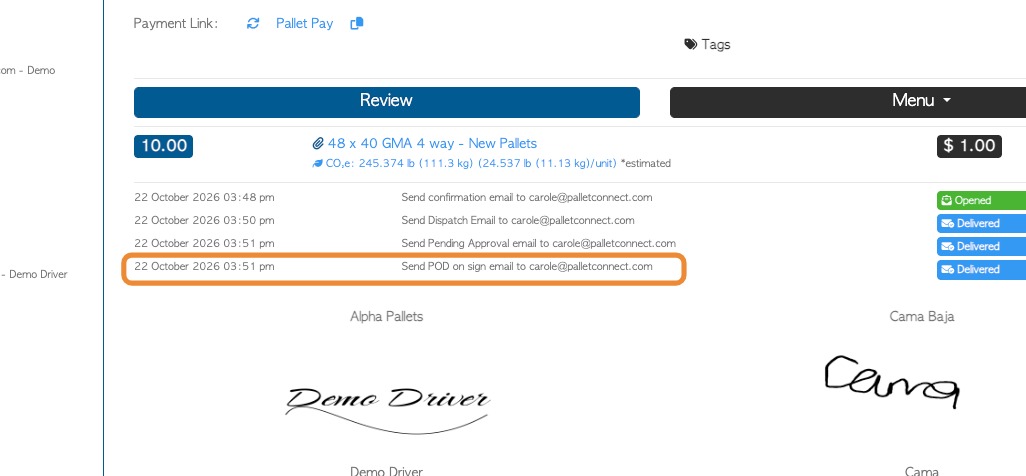
Pallet Connect now has the ability to send an automatic email containing the Proof of Delivery (POD). This is a separate message from the automatic Invoice email and can therefore be sent prior to an approval to generate an invoice. The email is triggered when the customer digital signature is obtained and a delivery is completed. This article reviews the system and customer settings needed to send the message.
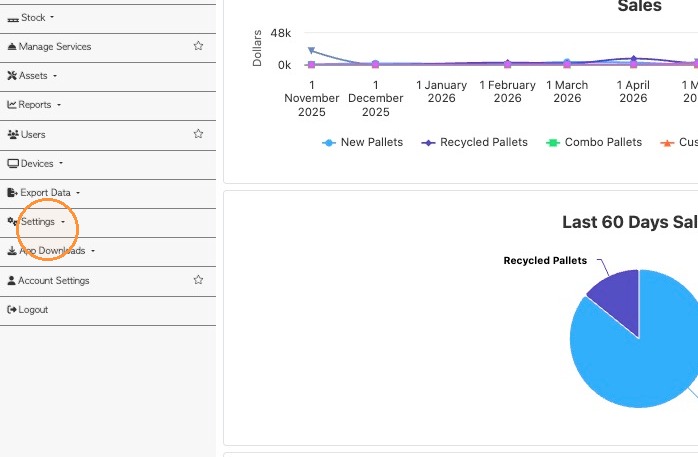
1. TO ENABLE SYSTEM SETTING: From the Main Menu, click Settings.
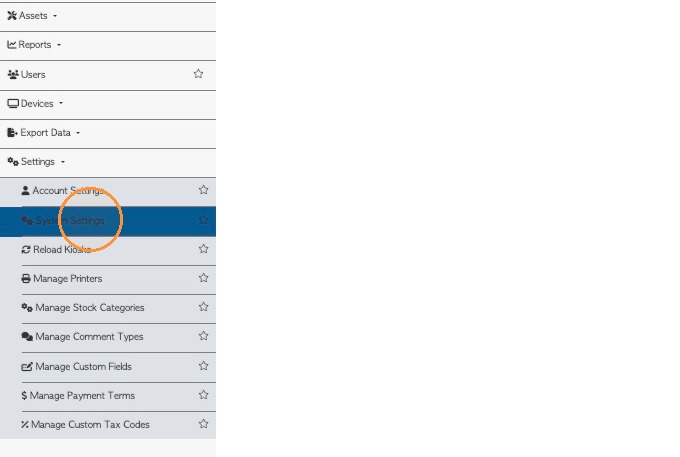
2. Click System Settings
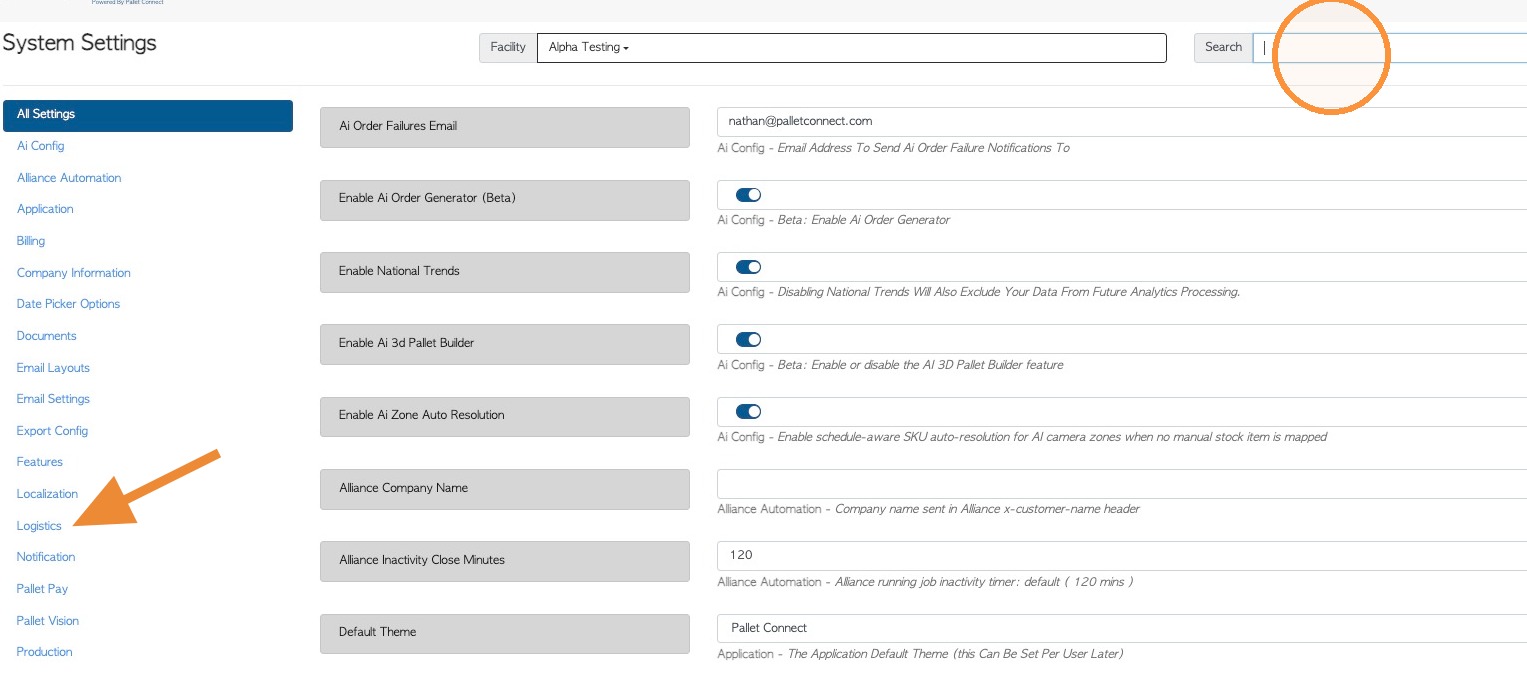
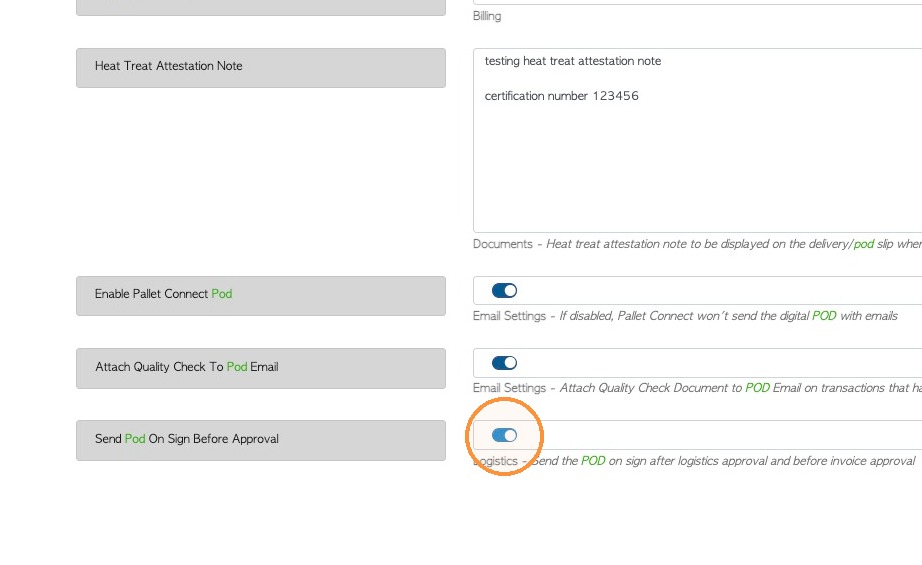
3. Click the Search field and type "POD" or navigate to the Logistics section to find the setting.
4. Enable 'Send Pod On Sign Before Approval'. Click 'Save Settings' to complete changes.
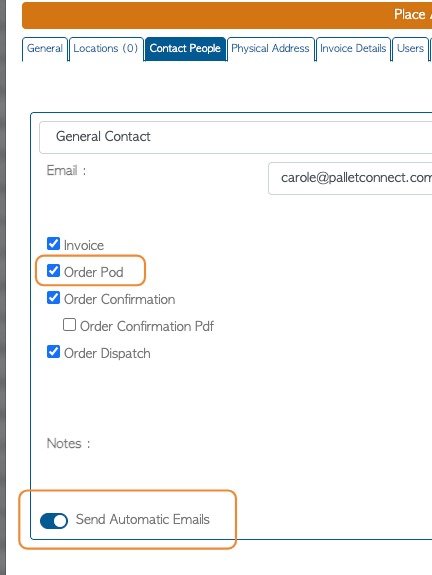
5. SENDING POD EMAIL: Once the setting is enabled for the system, ensure that the customer's contact people are set up to receive the email. Navigate to "Contact People' tab of the customer profile.
"Send Automatic Emails" must be enabled and "Order POD" must be checked off.
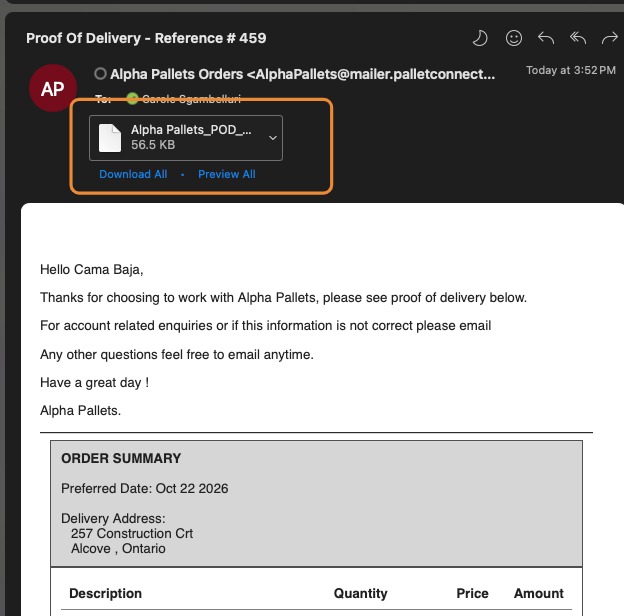
6. Once the driver has been obtained the customer signature and the delivery is complete, the POD email will be sent. A PDF copy of the Proof of Delivery is attached to the message.
NOTE: If Approvals are enabled, the email will be sent before the order is approved for invoice.
7. Confirmation of the"POD on sign" email will be displayed on the transaction screens.