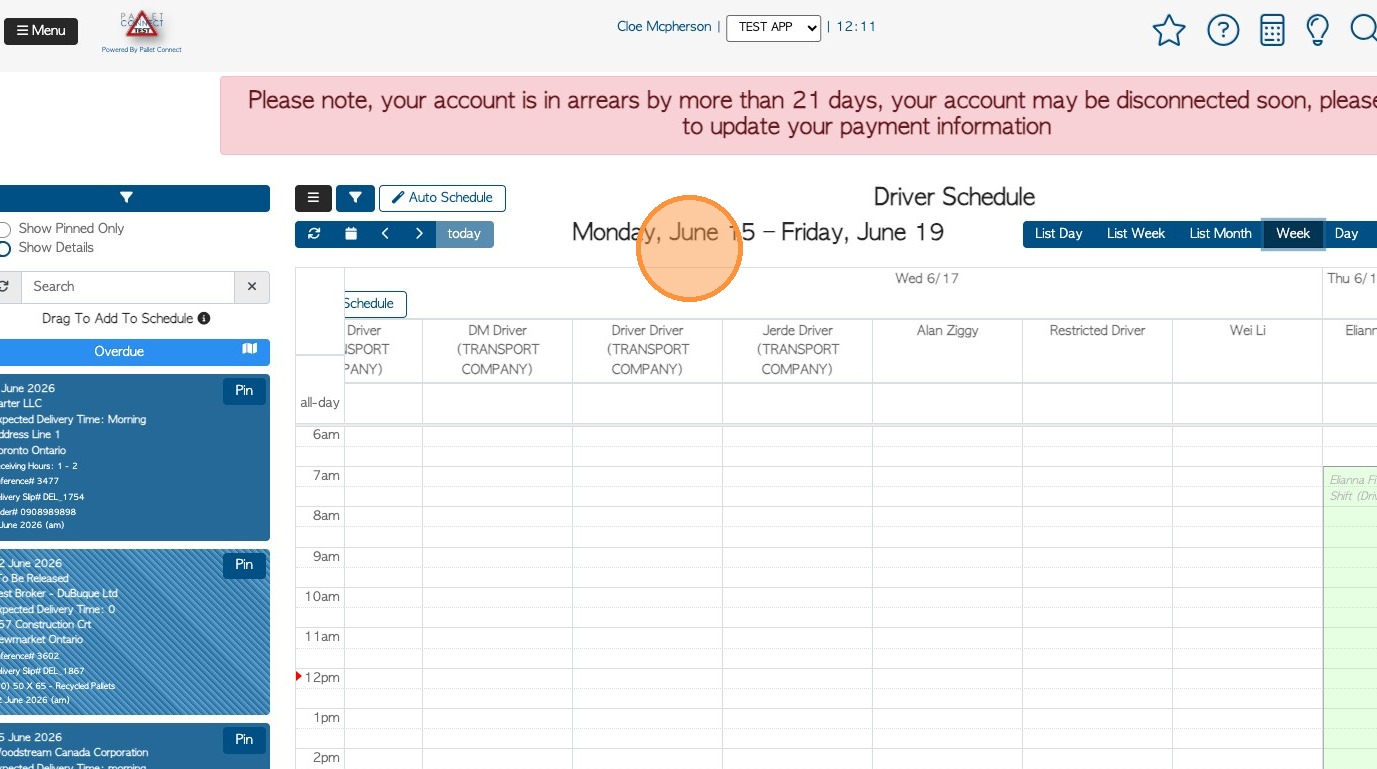
This guide walks through the set up process to ensure driver logistics are correctly reflected in the Driver Schedule.
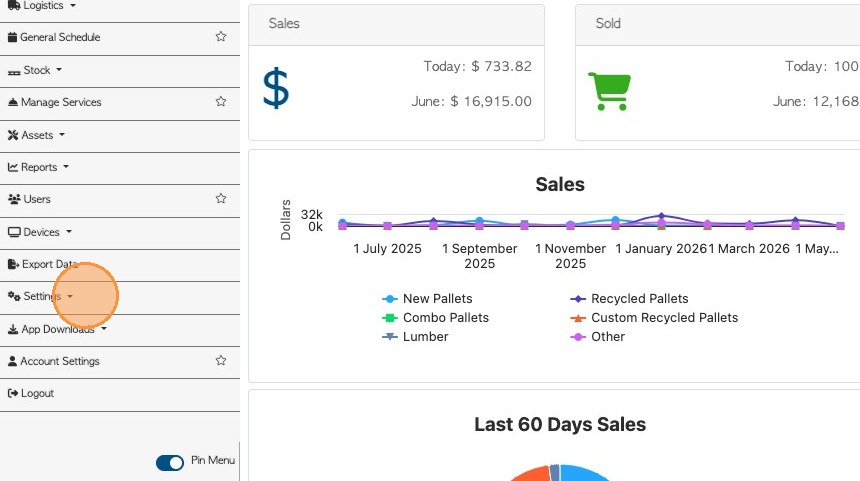
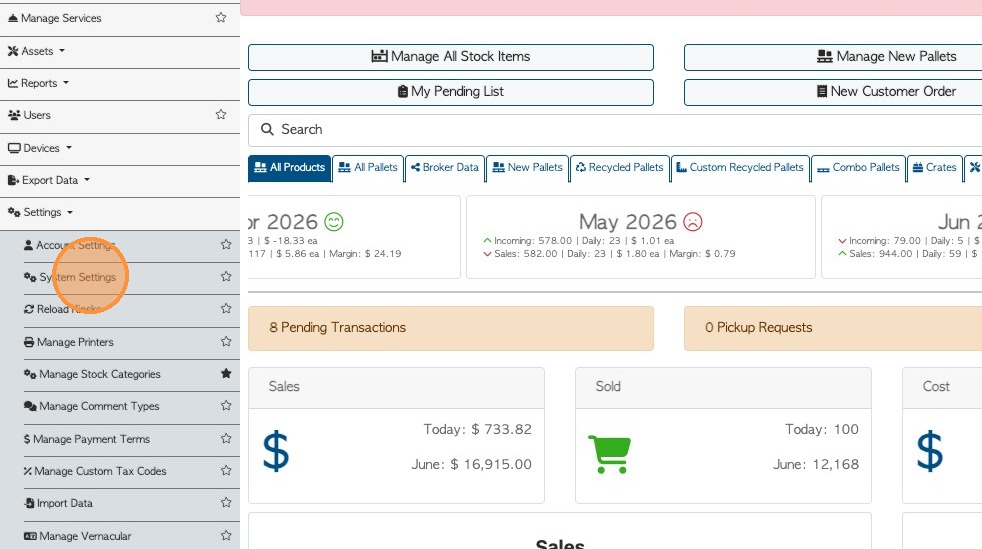
1. From the Main menu, navigate to Settings and then System Settings.
2. Select "Company Information" from the settings sidebar, or search 'delivery days' from the search bar.
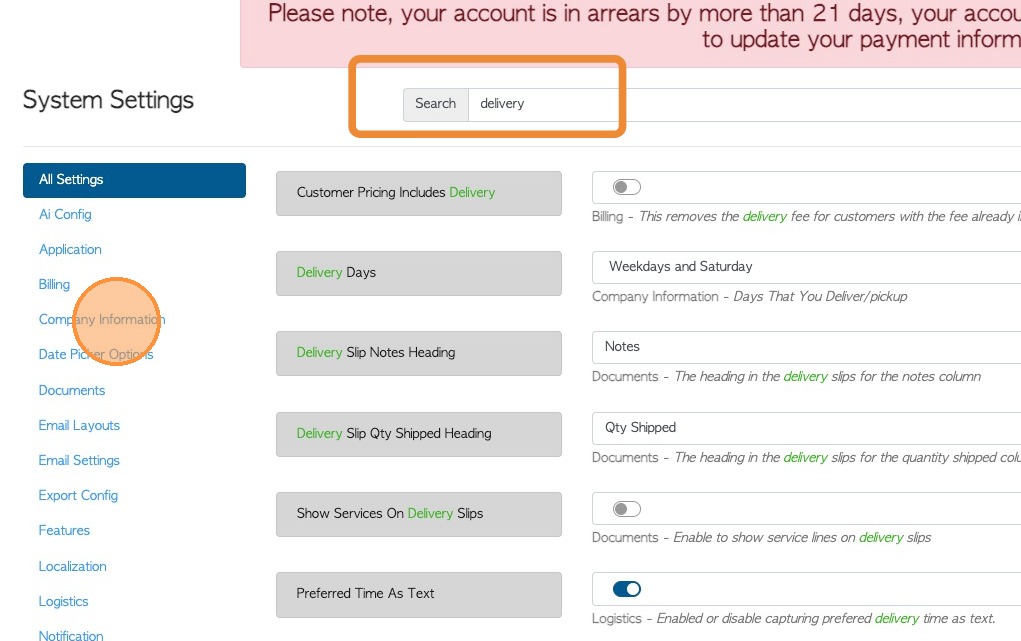
3. From the "Delivery Days" setting, select the days of the week that the drivers work. Options include "Weekdays" "Weekdays and Saturday" and"Every day".
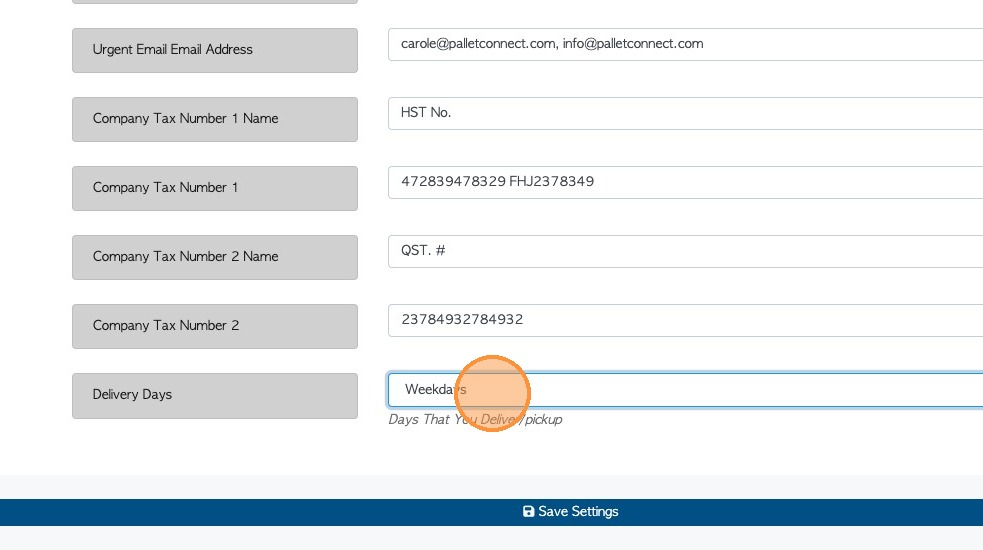
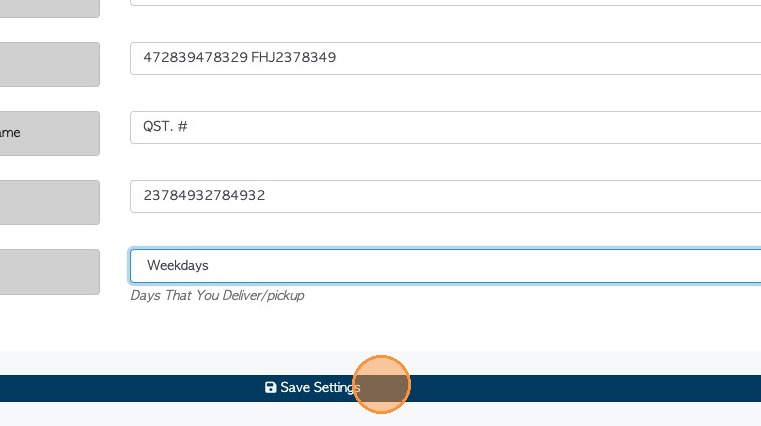
4. Click "Save Settings" to complete.
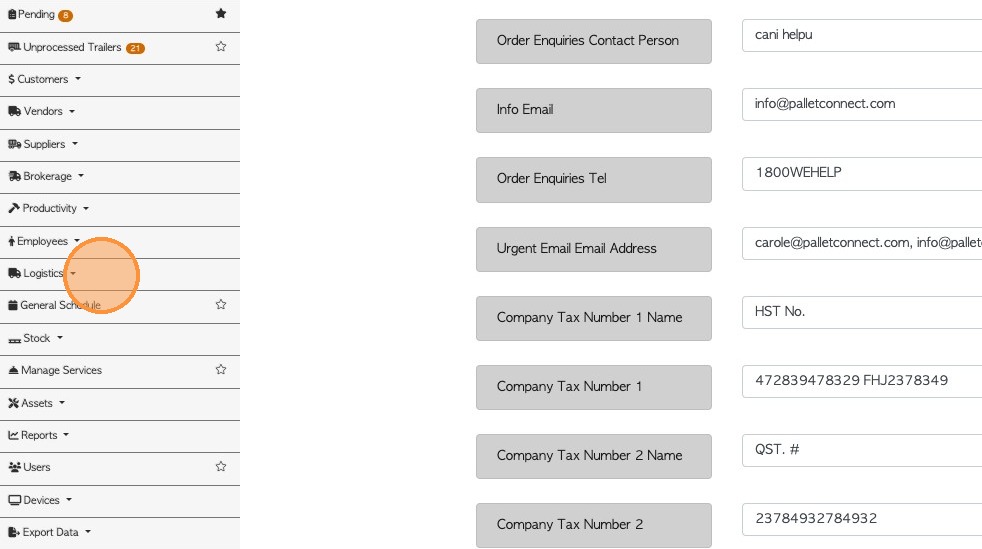
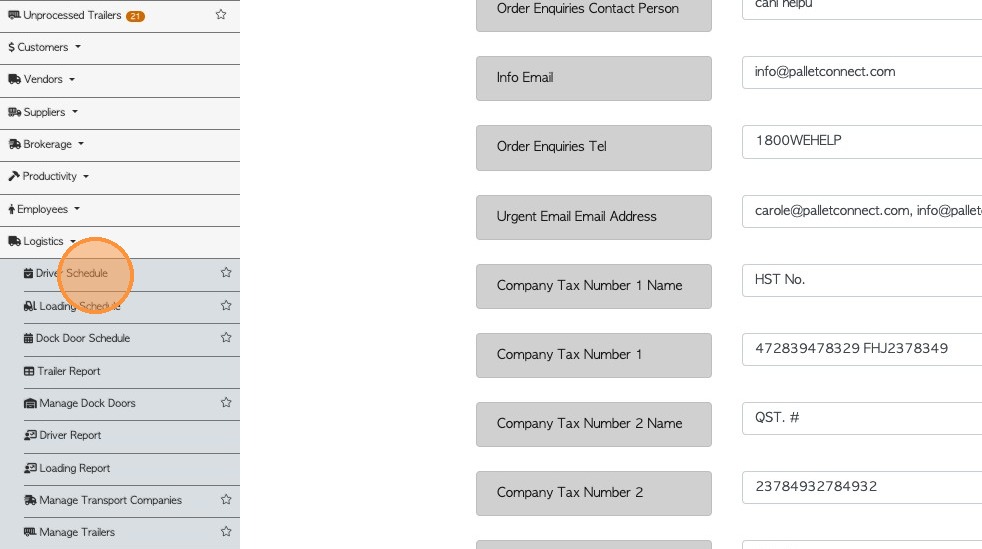
5. To view the driver schedule, click on the page from the Logistics section of the menu.
6. Days of the week will be displayed dependent on the setting. For example, if "Weekdays" are chosen, deliveries cannot be scheduled on Saturday or Sunday.