1. The Date Picker System Settings allows various date options to be available, when searching for transactions or generating reports in Pallet Connect.
These settings determine the predefined date ranges. By enabling or disabling specific options, users are guided toward relevant timeframes while keeping searches and reports consistent with current business requirements.
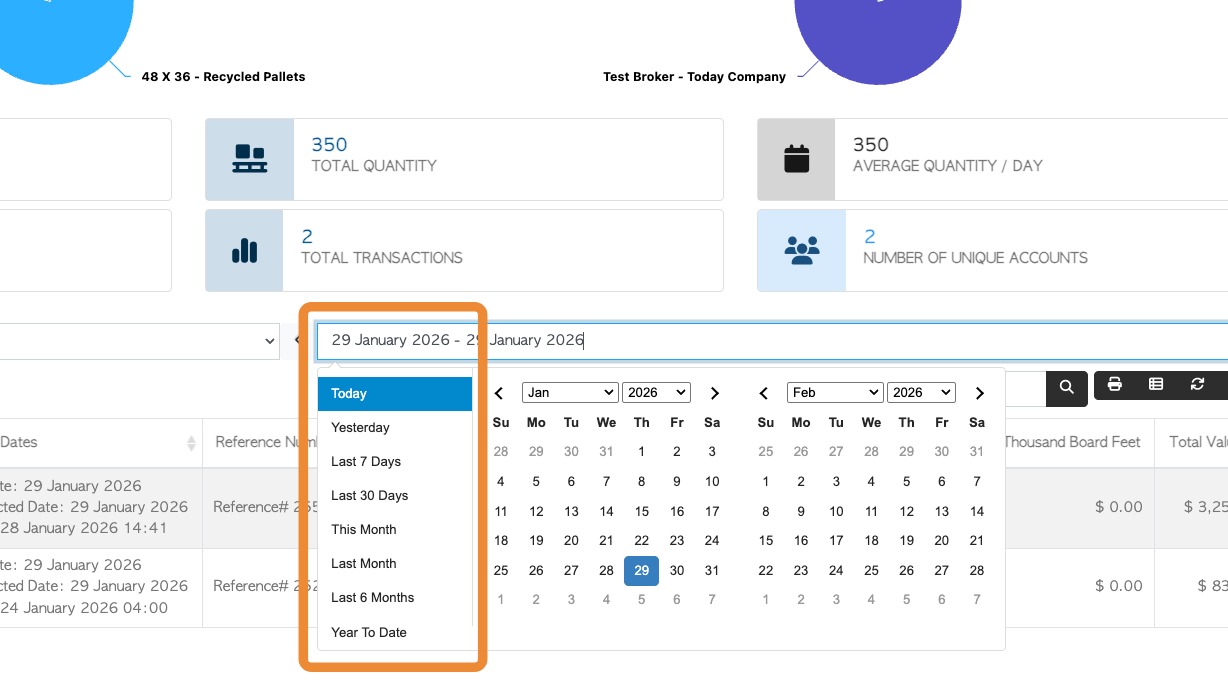
When choosing a dates throughout the system, a calendar is displayed alongside a list of date ranges. This list can be customized.
The screenshot below shows an example of a date picker display:
2. In order to make changes the user must have access to the System Settings. Use the steps below:
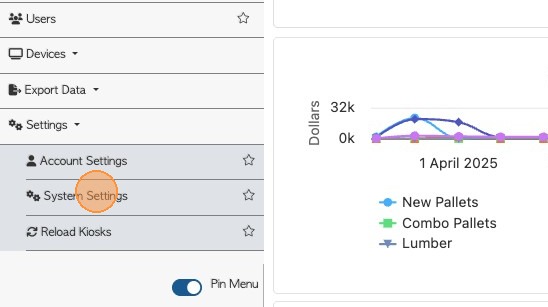
- From the Main Menu > Settings > System Settings.
3. 2. Click this search field and type "picker". The setting can also be found in the Date Picker Options section of the System Settings.
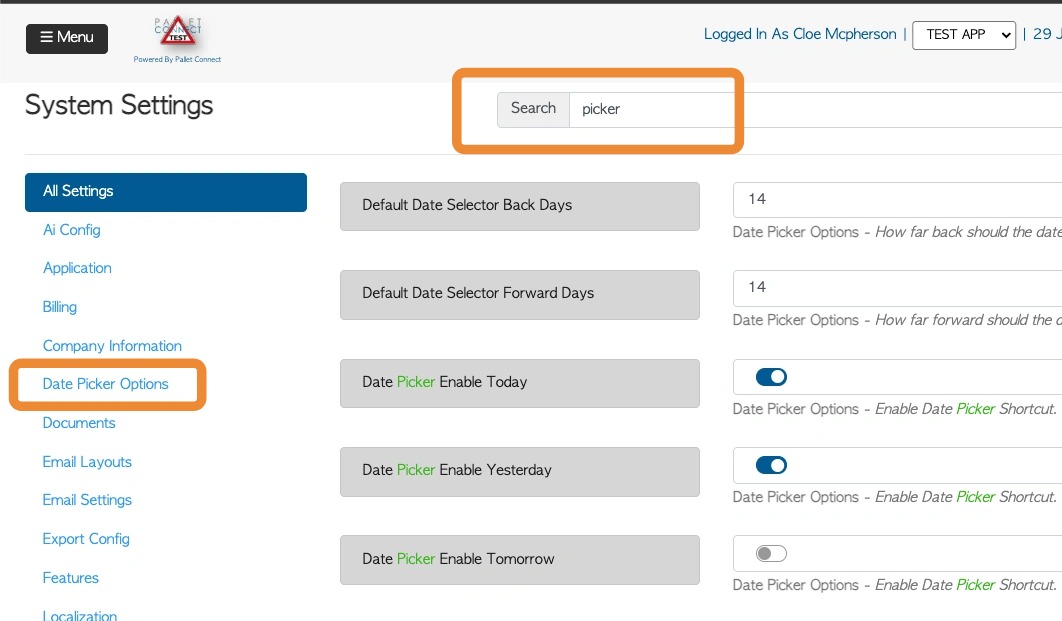
4. 3. Options labelled "Date Picker" can be toggled on or off to match user preferences. Enabled options will appear throughout the system wherever dates are selected, such as transaction searches and reports.
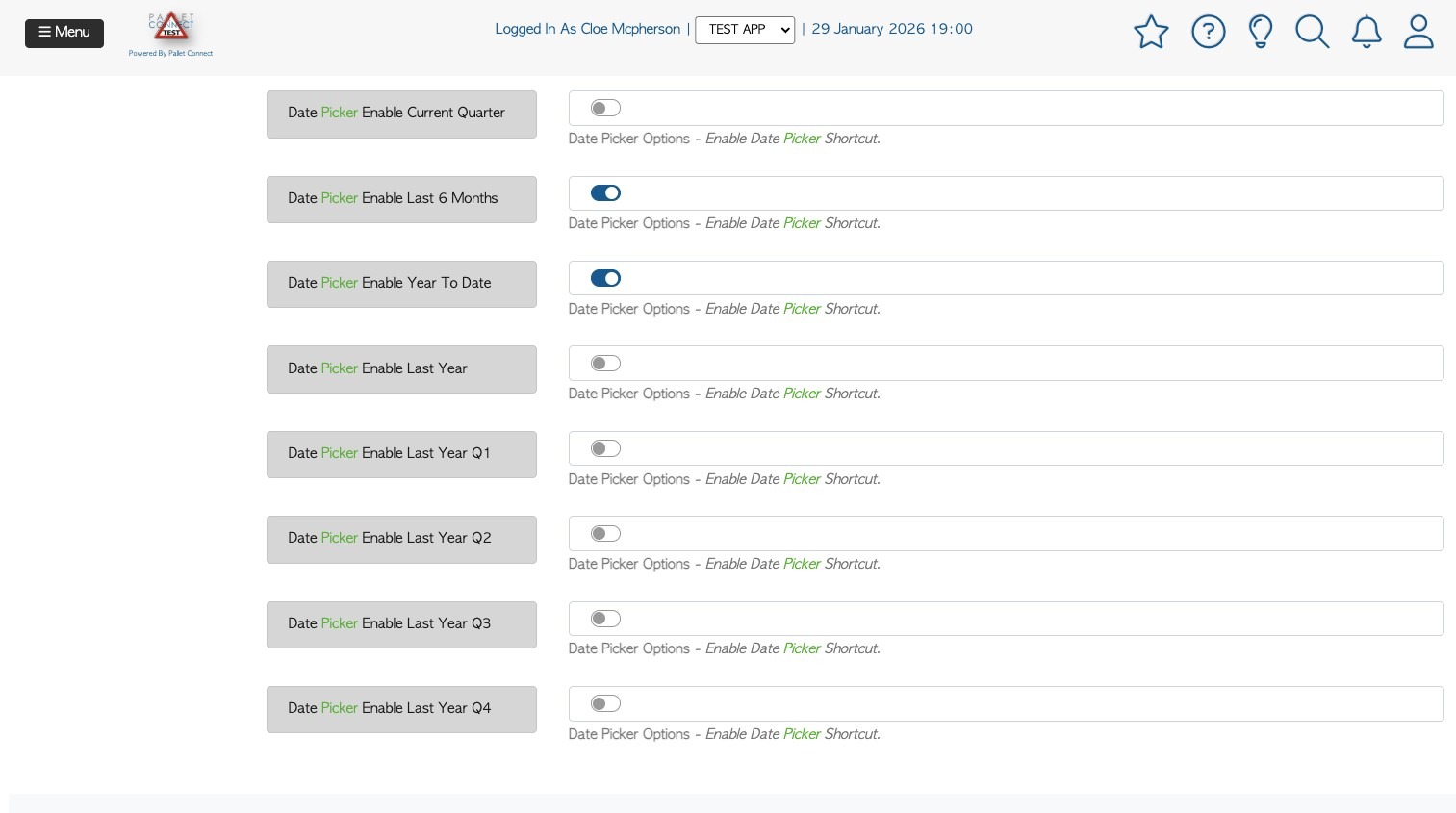
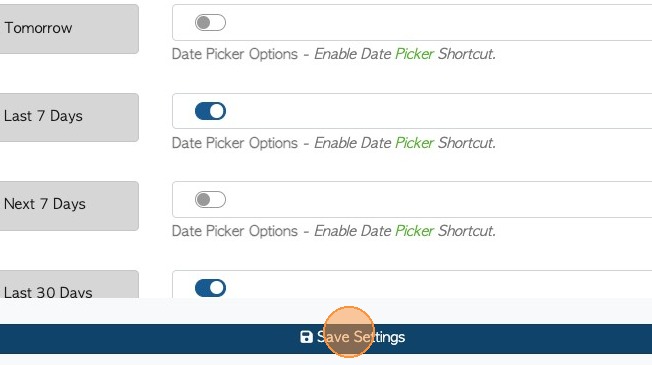
5. 4. Click "Save Settings" to complete changes.
Tip! Webpage may need to be refreshed in order for the changes to reflect.