1. This section of Pallet Connect System Settings controls key default values used in production, builds, labeling and job entry.
- From the Main Menu > Settings > System Settings:
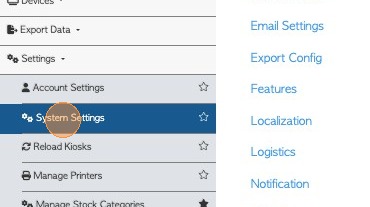
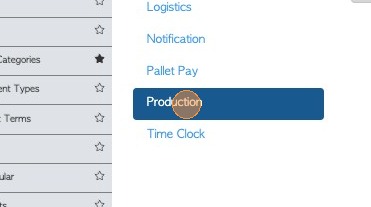
2. 2. Click Production
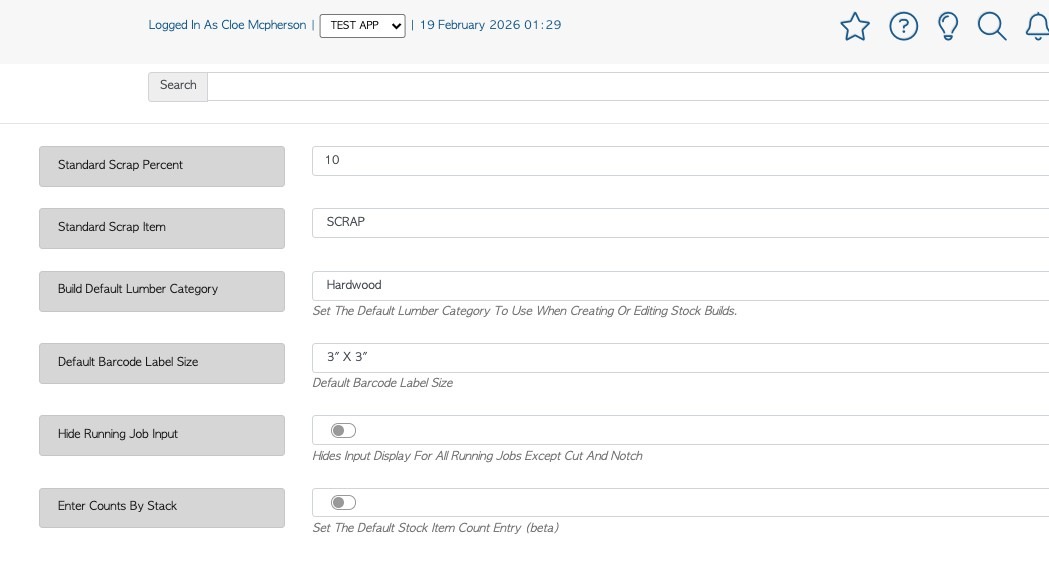
3. - Standard Scrap Percent
This refers to purchases from Vendors (recycled material). This is set to calculate the percentage of scrap that is recorded for each trailer load.
For example if 60 pallets are counted from a trailer and the scrap rate is set at 10%; 6 pallets will be designated a scrap. This is shown on the Vendor rebate.
- Standard Scrap Item
Designates the inventory item that will be used to record the scrap percentage. Use the dropdown menu to select the stock item that will be recorded as scrap.
Tip: Choose one category from the drop down menu.
- Default Barcode Label Size
Determines the default label format used when printing barcodes.
Example: 3" x 3" label size
- Hide Running Job Input
This setting is for "Build" running jobs. If enabled, users will not be able to manually enter the input lumber. The system will automatically pull the required components from the item's build list. Users only need to enter the pallets being produced.
- Enter Counts By Stack (Beta)
This changes the function of the count sheet when entering counts from a Vendor. This allows users to enter stock item quantities by each stack rather than total count. Enable the feature to count by stack not total.
4. 3. Click 'Save Settings' to complete any changes.